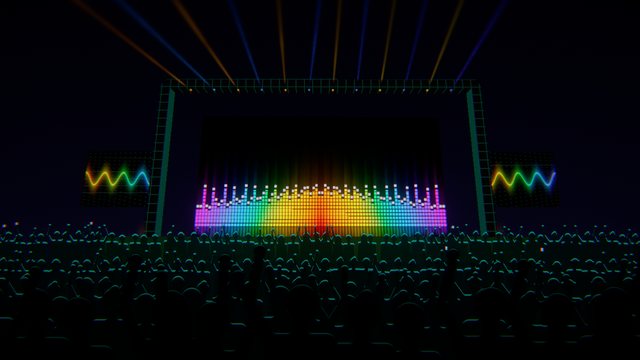
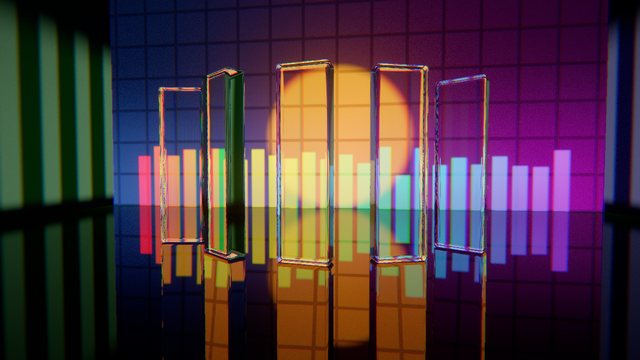
Trippin doesn't loop pretty clips. It listens, works out where the music is going, and moves with it.
Listening
It knows the song
Band levels, onsets and kicks are tracked live, along with tempo and the beat and bar phase. A neural downbeat check keeps the "one" on the one, even in house music where off-beat hats try to steal the grid.
Four bands of loudness, transients and slow presence drive every scene.
Breakdowns detected. When the drums drop out, the camera slows, flashes stop and the visuals soften.
Level independent. It works the same at a quiet bedroom volume or a loud club system.
Motion, not flashing
The music changes the shape
Brightness is the least interesting thing a visual can do. In Trippin the music reshapes objects, swings the camera with each phrase, and drives speed and complexity as a track builds.
Shape: morphs, displacement and geometry follow the sound.
Direction: motion reverses and swings over phrases.
Energy: travel speeds up and surges on drops, always smoothly.
Timeline editor + AI
Script a whole set, or let AI direct it
Load a track and Trippin analyses it offline: waveform, beat and bar grid anchored to the real downbeat, and the structure of the song. Then build the show by hand, record it live, or have an AI write the cue list for you.
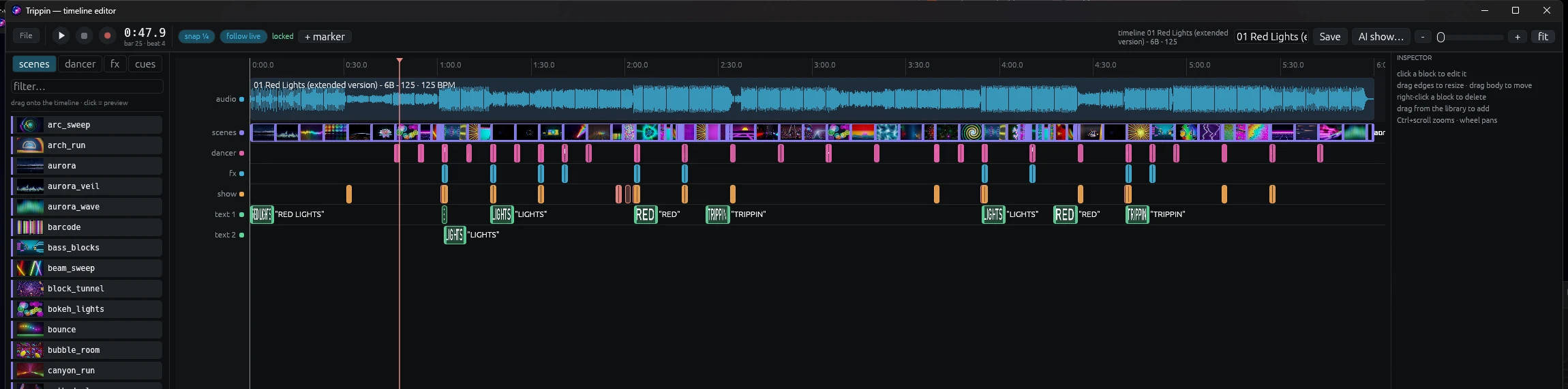
The real timeline editor playing a 6-minute show: scene cuts on the phrase, dancer routines, palette and effect changes, all landing on the beat. Click the still below to zoom in.
The whole show at a glance. Click it to zoom in. Every block is draggable, resizable and yours to change.
AnalysePer-bar energy, onsets, vocals and "air", all computed on your machine.
SegmentIntro, groove, build, drop, peak, breakdown, outro, found by where the sound changes.
DirectThe model picks scenes by measured visual energy, with extra cuts through builds.
EnforceTrippin's own show rules fix the plan: calm in breakdowns, a change on every drop.
EditEverything lands as cues you can drag, retime or delete. It's your show.
Drum-fill aware
Rolls and snare runs mark phrase ends. The AI places strobe, stutter and flash hits on the fill's real drum hits, never as a flash on tunnel scenes.
Text as performance
A word per beat on the drop, hook words landed on their beat, and punch, shake, bounce or shatter effects. If there's no text, it hits the track title on the first drop.
Record mode
Arm record, play the track, and perform with your hotkeys, MIDI pads or the remote. Every move lands on the strip as a cue. Save it, replay it, tweak it.
Follow live
Playing the same song in the room? Trippin locks onto the live audio and fires the pre-programmed show in step with the DJ's deck.
Bring your own AI
Anthropic, OpenAI, Gemini, or any OpenAI-compatible endpoint including local Ollama. Paste your key in Settings.
Your audio stays yours
No audio is ever uploaded. Only a numeric summary of the track and its title leave your machine, and only when you ask for an AI show.
MIDI mapping
Every action on a pad
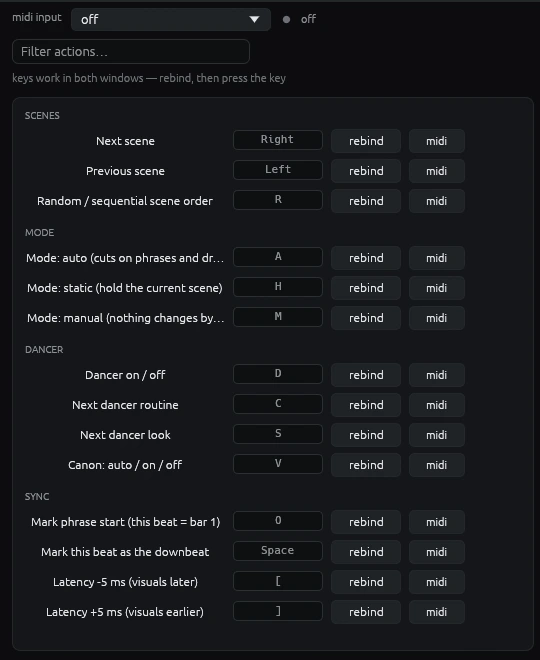
Plug in any pad or key controller. Pick it, click midi next to an action, hit a pad, and it's bound. No config files, no drivers to learn.
Everything is mappable: scene cuts, strobe, blackout, dancer, palettes, effects, save clip, record set and more.
One-press learn. Re-learning a note simply steals it, so one pad is always one action.
Records into your show. Pad hits land on the timeline like hotkeys when you record.
Hot-plug friendly. Unplug and replug mid-set and it reconnects on its own.
Any MIDI channel, with clean press-only triggering so toggles never double-fire.
The Keys page, shown at full size. Click midi next to any action, hit a pad, done.
NDI & Spout
Into OBS, Resolume or vMix in a click
The finished frame (scene, dancer, effects, overlays, text) goes out as a live video source. Choose the route that fits your setup.
Trippin scene + dancer + overlays
SpoutSame PC · GPU texture sharing · zero network, near-zero latency
NDIOver your network · to another PC or a streaming machine
OBSSpout2 Capture / NDI Source
Resolume · vMix · TouchDesigneranything that reads Spout or NDI
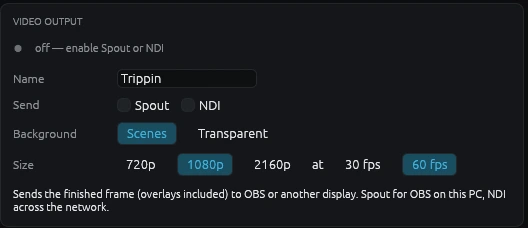
The Video output card on the Stream tab.
720p to 4K, 30 or 60 fps
Output size and frame rate are independent of the window. If a receiver falls behind, frames drop. Your visuals never stutter.
Transparent mode
Turn the scenes off and send only the dancer, glow, overlays and text with true alpha. Layer Trippin straight over your camera in OBS.
Native Spout
Spout is built in, with no extra DLLs on our side. In OBS, add the free Spout2 Capture plugin. NDI loads its free runtime on demand, and the app works fine without it.
Everything else
The whole toolkit
Auto-pilot
Cuts on phrase boundaries and drops, picks scenes by energy, and never strobes a tunnel. Or run it manually, or lock a single scene.
Beat-locked dancer
Silhouette clips dance on the beat over any scene, with glow and trails, and re-anchor to the bar so routines start cleanly on a phrase.
Timeline & AI show builder
Script a full set cue by cue, or let the AI builder analyse a track and lay out scenes, text, fills and strobes for you to tweak.
Text & effects
Timeline text cues with punch, shake, strobe, bounce and shatter. Mirror and kaleidoscope effects on top of any scene.
Palettes
One global palette recolours every scene, the dancer glow and the text, so your whole set matches your brand.
Hotkeys & MIDI
Every action has a key, and MIDI pad controllers can be mapped with one-click learn. Pad presses record into your timeline.
For streamers
On air in a click
The streaming kit is part of the app, not an afterthought.
Spout & NDI
Clean video straight into OBS at 720p, 1080p or 4K, 30 or 60 fps, without dropping render frames. A transparent mode layers it over your camera.
Now playing
Reads the track from the OS media session, Serato, VirtualDJ, rekordbox, Mixxx or a text file, with a debounce that ignores headphone cue-ups.
Branding & ticker
Your logo, DJ name and a scrolling ticker, drawn crisp over the visuals and easy to toggle live.
Instant clips
A replay buffer saves the last moments with audio. Export 16:9 or crop to vertical 9:16 for TikTok, Reels and Shorts.
Set recording
Record your entire set with visuals and audio, ready to upload after the stream.
Remote control
Run it from your phone with the free iPhone and iPad app, or any browser or OSC controller on your network.